Tested guides · Original examples
Get an image under 200KB: what to check after meeting the size limit
Reproduce target-size compression on an office image containing small text and texture, then check format, pixel dimensions and readability.
Maintained by:Finl Tools · Updated: · Example dates and methods appear below
Open image compressionConfirm the recipient’s requirements first
File size, pixel dimensions and format are three separate conditions. “Under 200KB” does not mean “200 pixels wide”. If fixed dimensions are also required, record them first and check whether the output meets them.
This site defines 1KB as 1024 bytes, so 200KB is 204800 bytes. If the receiving platform uses 1000 bytes, a 195KB target provides some margin below its limit.
Reproduce this compression run
Download the original PNG. In image compression, choose “Compress to target size”, enter 200 and select JPEG. To match the example, set both maximum width and height to 0 (unlimited), then start.
The tool first keeps pixel dimensions and lowers quality; it gradually reduces dimensions only if still over the limit. Minimum quality is 35%, and the automatic short-side limit is 320px. An original with a smaller short side is not enlarged. Maximum-dimension settings take effect before these rules.
Meeting the target does not guarantee suitability
“Target met” only means actual output bytes do not exceed the target. After downloading, zoom in on names, numbers, small text and stamp edges. Then check width and height against the recipient’s requirements; target mode may change pixel dimensions.
JPEG cannot retain a transparent background and replaces it with white. Use WebP to keep transparency if the recipient supports it. Merely changing the filename extension to JPG does not convert the image.
When the target is missed or details are unclear
If quality and dimension limits are reached while the file is still too large, the page marks “Target not met” and lets you download the current smaller result for inspection. Raise the target or crop irrelevant regions before retrying.
An overly small target sacrifices detail. For identity documents, certificates or contracts, prioritize the recipient’s readability requirements rather than the smallest possible file. In a batch, check each image independently, not just the combined size.
Download the input and actual outputs
All files are synthetic examples created by this site without real business information. Download them to repeat the operations.
Example tested on 2026-09-26. PDFs used the site API (pypdf 6.19.0 / PyMuPDF 1.28.2); images used Canvas encoding in Chromium 153. Other browsers or versions may produce different file sizes.
| File | Actual bytes | Download |
|---|---|---|
| Original PNG | 616497 B | Download file |
| Actual JPEG output for a 200KB target | 204037 B | Download file |
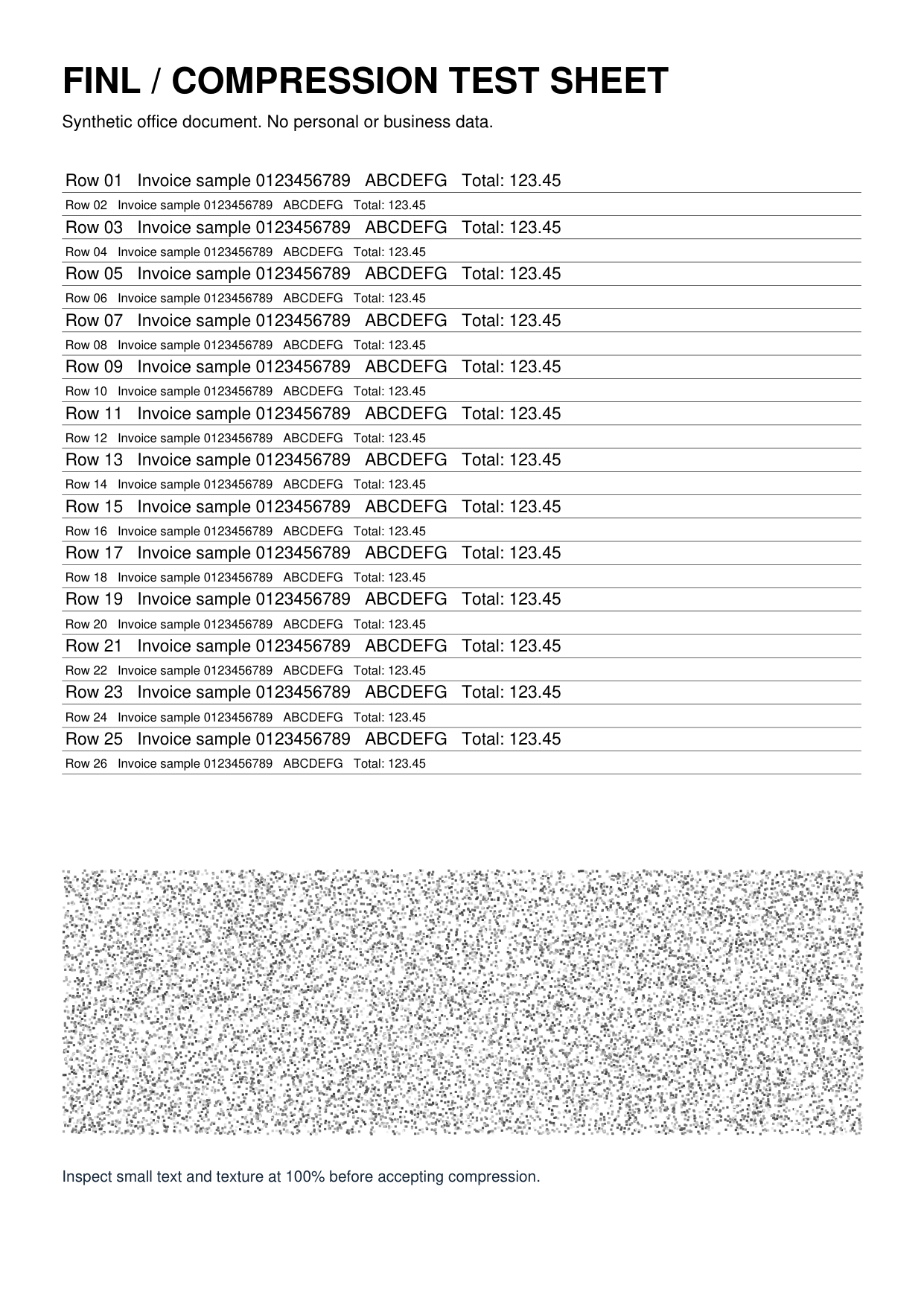
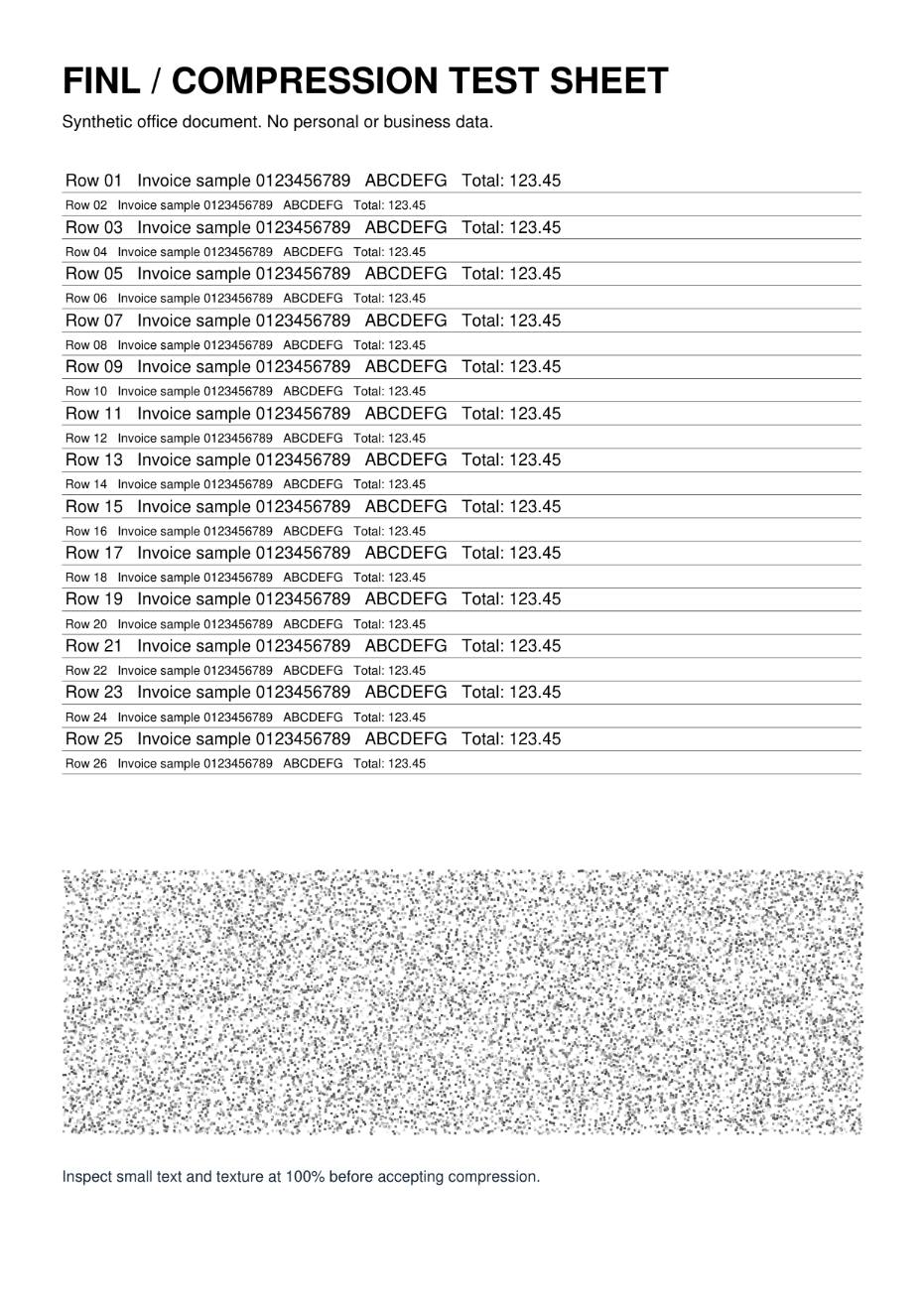
The target was 204800 bytes. Measured output: 204037 bytes, 931 × 1316 px, with an encoding quality setting of about 70.6%. This result applies only to this example.