Did compression make your PDF larger? See two unsuccessful tests on the same file →
Download examples · Check the results
One scanned PDF: actual output at quality 70 and 40
We created an A4 test page with 8/11-point English text, fine lines and texture, rasterized it at 150 DPI, embedded it in a PDF at JPEG quality 95, and called this site's compression API. The sample contains no real contracts or personal information.
- Download the original and upload it to the tool above.
- Run quality 70 and 40 separately with PDF output, using the original each time.
- Compare the file sizes below and inspect small text edges and texture at 100% zoom.
| File and settings | File size | Download |
|---|---|---|
| Original: synthetic scan at JPEG quality 95 | 693.1 KiB | Download file |
| Quality 70: 49.7% smaller | 348.4 KiB | Download file |
| Quality 40: 63.9% smaller | 250.4 KiB | Download file |
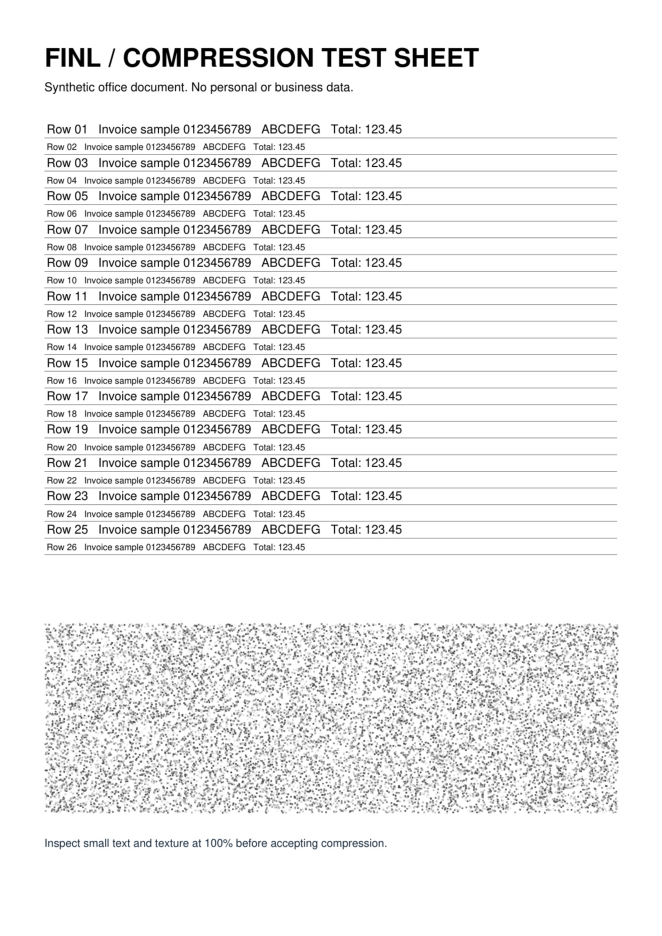
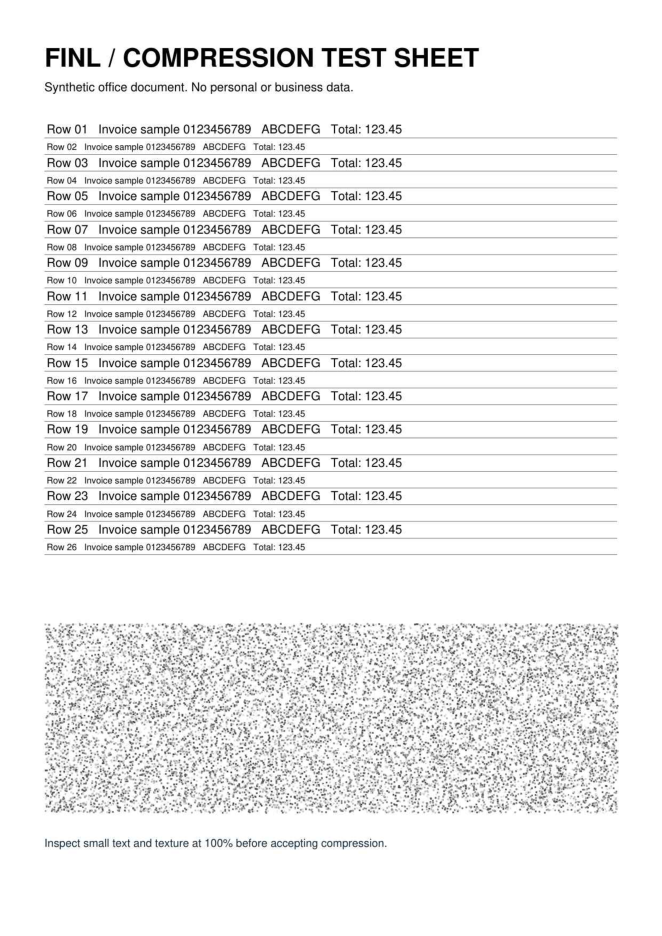
How to interpret this result:Lower quality reduces size in this example but loses image detail. Each output is still one A4 page with no searchable text layer. Text-only PDFs and already compressed scans may shrink little or even grow; this is not a compression-ratio promise.
Test environment and using the examples
Test date:.Python 3.14.5 / pypdf 6.19.0 / PyMuPDF 1.28.2 / Pillow 12.3.0.
These examples were created by this site. You may download, modify and use them to repeat the tests. They illustrate operations and limitations and contain no real business data. Output size and detail may vary with software versions, browsers and input files.
Worked example
For a 20MB scan-heavy file, try quality 60 first. If text edges remain clear but the file is too large, try 45. Text-only PDFs usually shrink less than scans.
Understanding settings and results
- Lower quality usually produces smaller images with more visible detail loss.
- Start around 50–70 and keep the original for comparison.
Scope and limitations
- Already compressed files and PDFs mostly containing vector text may change little.
- Compression is not a repair tool; damaged or encrypted PDFs may still fail.
Troubleshooting
- If the result is larger, the original may use more efficient encoding. Keep it. If quality loss is acceptable, retry the original at lower quality rather than recompressing an output.
- Increase quality when small text is blurry, and avoid repeated compression.
Privacy and processing
Files are uploaded for temporary server processing. Do not upload highly confidential material that cannot be temporarily transmitted. Results are removed on the cleanup cycle.